Eidos Design. Volume XVIII: The Quiet Revolution in Design Tools, Smart Acquisitions, and AI Done Right
The tools that impressed me this month weren’t trying to replace creativity; rather, they were designed to support it.
Hello fellow designers, creatives, digital professionals, and Eidos Design members!
We'd like to ask you to take a quick few-minute survey. We want to get to know you better and understand which topics and formats you like the most.
We know that time is our most valuable resource. That's why we're offering a 3-month premium subscription to everyone who takes this short survey.
Thank you very much! 🖤
Mykola here, back with September's most fascinating finds from the intersection of design and technology.

This month was full of surprises, with new launches, acquisitions, and strategic moves. While most companies are chasing AI features, the stories that caught my attention took a different approach entirely.

Framer Design Pages Promo
Framer finally did what they should have done years ago. On September 16th, they launched Design Pages, their solution to the perennial designer workflow: explore in Figma, build in Framer, gripe about the handoff, repeat.
"This update turns Framer from a web builder into a true design tool," they announced, which is corporate speak for, "We got tired of losing designers to Figma during the fun part." Smart move. Why let your users fall in love with someone else's canvas when they're dreaming up ideas?
The features aren't exactly revolutionary: freeform canvas, vector editing, P3 colors. It's what any serious designer expects from a design tool in 2025. The execution feels solid, and the timing makes sense.
And they made it free of charge. You can do as many projects and pages as you want. While Figma charges for team features, Framer bets that they can win designers over during exploration and keep them through production.
Will it work? Hard to say. But if you're going to be late, it's good to have a backup plan for the evening.
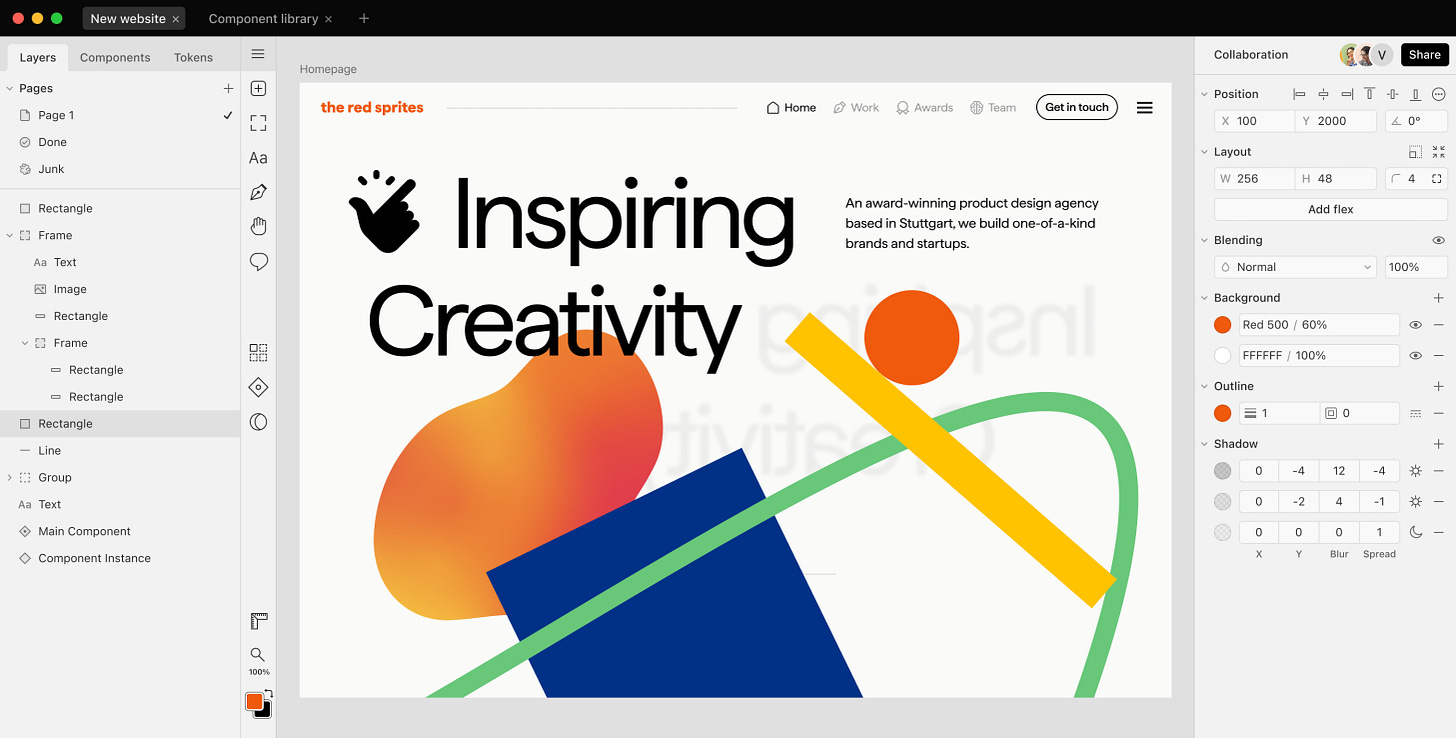
Paper App In Action
Paper just opened signups, and their main idea is pretty convincing: stop designing pictures of interfaces and start designing the actual interface. Just put code components right onto your design canvas, import your real design system, and export actual flex layouts.
This isn't just another design tool with AI sprinkles. Paper lets you work with real React components on the canvas, use shaders for advanced effects, and publish live sites directly from your designs.
The timing seems right. While everyone else is building AI prompt interfaces, Paper is solving the fundamental disconnect between what designers create and what developers build. We're not going to get into "it looks different in code" conversations anymore here.
The technical challenge is huge — to make code components feel as fluid as design tools while maintaining the flexibility developers need. But the problem is real enough that it's worth watching someone take a serious step at it.
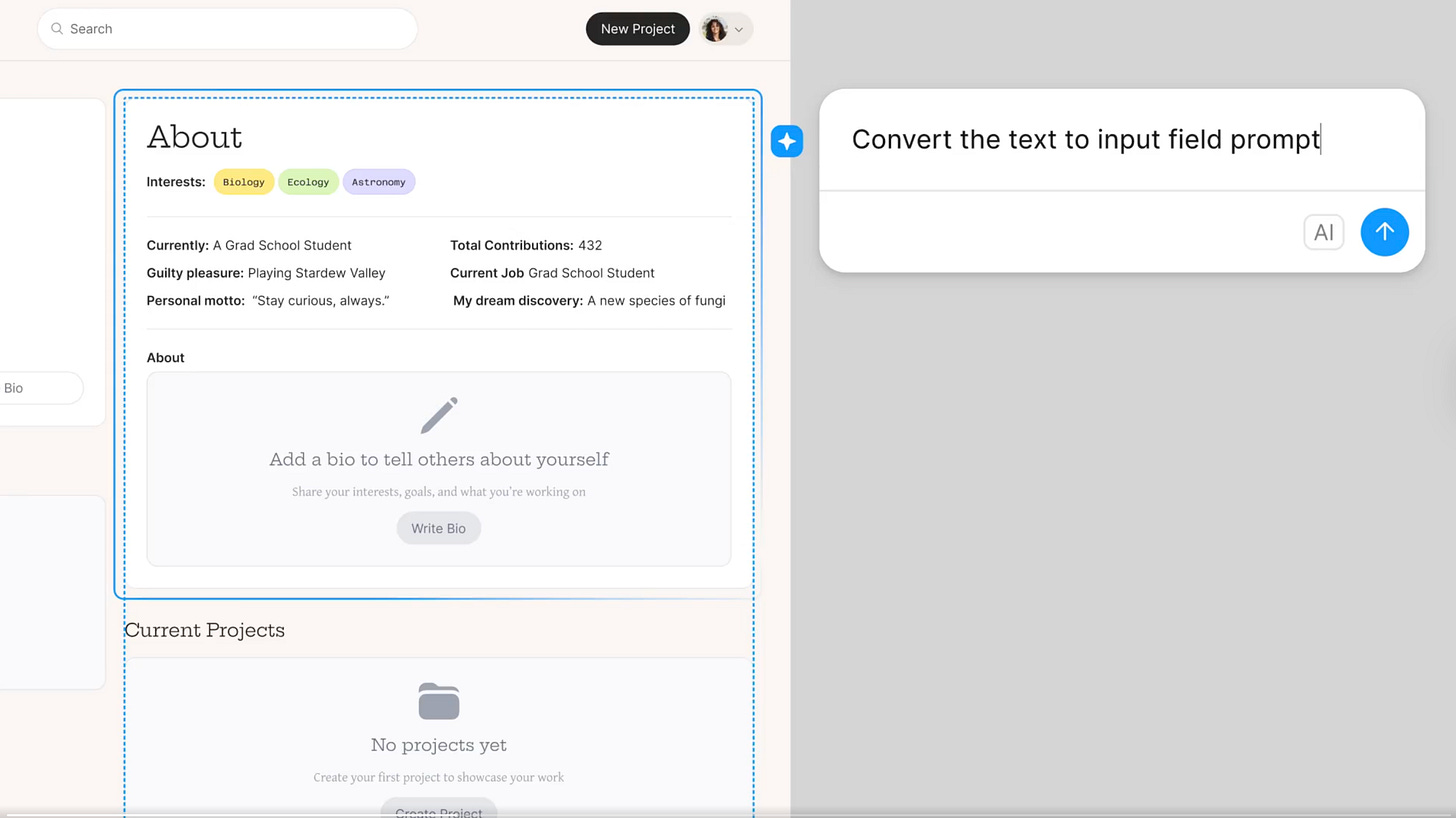
Prompting in Figma
Figma just launched their prompt-to-edit alpha. Just select the layers, type "make this darker and move it left," and it'll happen. There are no creative prompts or generation, just direct manipulation through natural language.
This feels like what everyone was expecting when Figma first announced AI features, instead of the image generation tools they've been pushing. Most designers don't need AI to create from scratch, but we do need it to handle the tedious stuff that breaks our flow. "Resize these 12 cards to match the sidebar width" shouldn't require clicking through every component when two seconds of typing could do it.
The beauty is in the specifics. You're not asking AI to use its imagination — you're telling it exactly what needs to be changed about work that's already out there. It's more like AI as a better interface, not AI as a creative replacement.
I'd love to see more of this: Instead of "generate a landing page," it's more like, "Fix this spacing issue across 47 screens."

Fey Logo
Here's an acquisition story that actually makes me optimistic. On August 27th, Wealthsimple bought Montreal-based Fey, an investment research platform that tackled the gap between basic trading apps and complex terminals.
Fey's founder Thiago Costa put it perfectly:
We were inspired to build Fey to serve the investors who've been overlooked. The ones who want powerful tools without the complexity of a terminal.
Natural language stock screening, AI-driven earnings analysis, personalized news feeds, all wrapped in what designers have been calling a piece of art.
The execution was impressive. Costa's design work made complex financial data approachable without oversimplifying it. I'm excited about this for more than just the product quality. It's that Wealthsimple recognized good design as a competitive advantage worth acquiring. They acquired the team that knows how to make complexity feel simple and beautiful.
Fey will shut down as a standalone platform by September 30, but its three-person team is joining Wealthsimple to offer its features to Wealthsimple's 3 million users. Sometimes, the best way to exit is to become part of something bigger that can amplify your impact.
The Atlassian and The Browser Company
Atlassian just paid $610M for The Browser Company, and the valuation raises some uncomfortable questions. Arc & Dia are well-designed, but $610M for zero revenue feels disconnected from reality.
**Carl Rivera **summed up the concerns about this deal: "AI isn't one monolith. Infra could stay strong while the shell/UI layer proves overpriced." Atlassian didn't buy infrastructure. They bought a beautiful interface — the same layer that could be most vulnerable when valuations correct.
It's a reality check for anyone working in design. While companies like NVIDIA have technical advantages, browser makers and design-focused startups essentially have only front-ends and lack substantial defensibility. When bubbles burst, it's the attractive interfaces that get hit first.
The Browser Company is shifting its focus to Dia, its AI-first browser. Only time will tell if this valuation makes sense.
Web Interface Guidelines by Vercel Vercel's new interface guidelines skip the fluff and focus on practical decisions, such as how to handle loading states, when to disable buttons, and which error messages are helpful to users.
Shape: A New Podcast for Designers by Designers Finally, a design podcast that sounds like real designer conversations, not startup theater. There are no buzzwords or sales pitches — just honest talk about the craft and messy reality of design work. Refreshing!
2 Weeks AI: Gentle AI Learning AI resources usually assume you know nothing or everything. This one strikes a balance by providing just enough context to understand what's happening without overwhelming you with jargon.
Carl Rivera on Craft as the Differentiator Shopify's CDO discusses building design teams, maintaining craft in AI workflows, and shipping quality products on a large scale.
Guide to Implementing Accessible SVG Elements This guide provides practical steps for using screen readers, managing focus, and ensuring adequate color contrast. It explains the difference between decorative graphics and truly accessible interfaces in simple terms.
Some companies are taking different approaches. While the industry is chasing AI features, the most compelling moves are focusing on creative workflows and genuine user needs. Regardless of whether these approaches stick around or fade into the next trend cycle, it's refreshing to see companies try something different.
If you enjoyed this edition, share it with a friend and don’t forget to subscribe!
Sincerely, Mykola Korzh